
Are You Attractive? AI Scanner
Molly DigitalBeauty
4.14.00 Reviews
- Version
- 2.5.6
- Installs
- 100.00K
- Age Rating
- Everyone
Screenshots
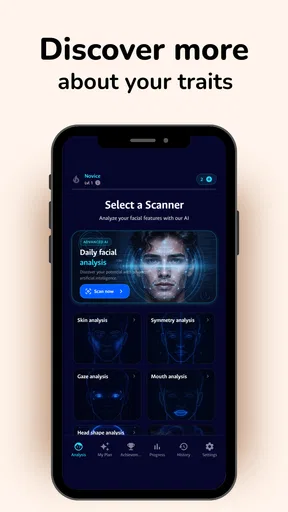
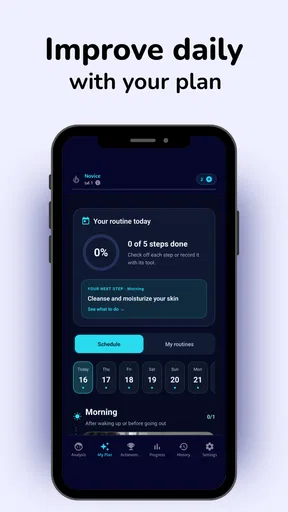
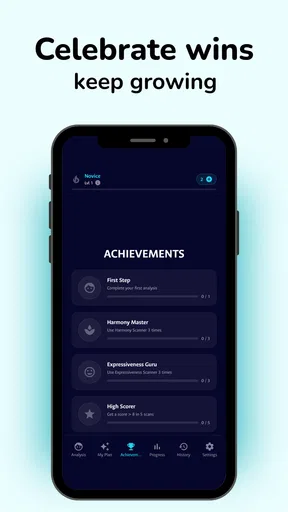
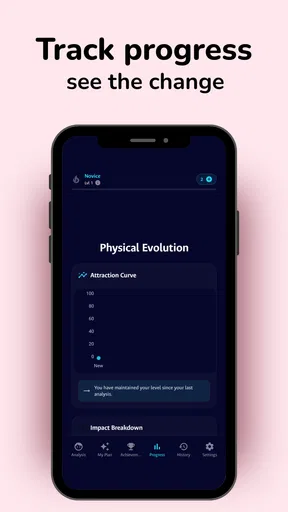
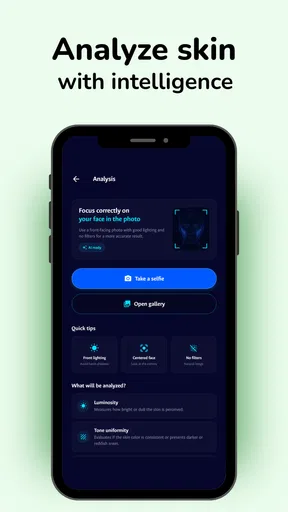
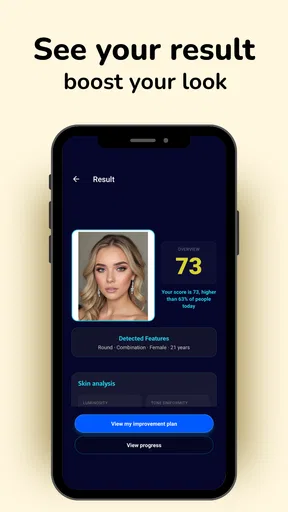
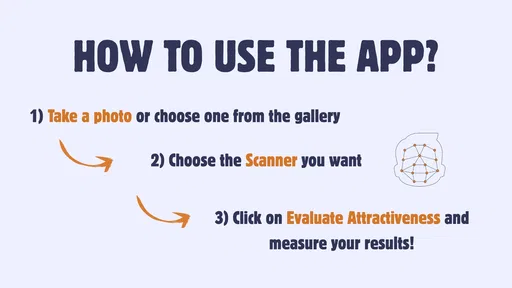
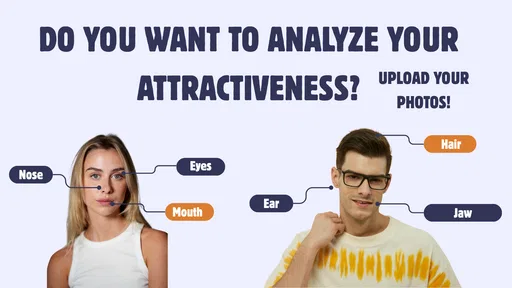
Our Review of Are You Attractive? AI Scanner
 Analysis by Appyee
I tried Are You Attractive? AI Scanner as a lighthearted beauty app, but its most interesting role is not really as a serious beauty adviser. It works better as a quick conversation starter: something you might open with a friend, show around the house, or use for a playful comparison before heading out. The app’s central idea is simple—use artificial intelligence to offer an attractiveness assessment—but that simplicity also makes the way you use it more important than the result itself.
Developed by Molly Digital, this free Android app sits in the beauty category and is suitable for Everyone. It has reached over one hundred thousand installs and holds a 4.1 average from around one and a half thousand ratings, which suggests that many people understand its entertainment value even if they are not treating the result as a professional evaluation. The current version is 2.5.6, and it runs on Android 7.0 or later.
How I used it in an ordinary household
The easiest way to understand the app is to imagine a casual evening at home. Someone takes a portrait, another person wants to try it, and soon the phone is being passed around. In that setting, the scanner can create a few minutes of harmless fun. It is more engaging than simply looking at a selfie because everyone is waiting to see what the app will say next.
That shared-device scenario also exposes the app’s main boundary. A result is not a measurement of someone’s worth, personality, health, or real-world attractiveness. It is an automated response to an image, and images change dramatically with lighting, camera angle, expression, hairstyle, and distance from the phone. I found it much healthier to treat the output as a playful prompt rather than as a verdict.
If you are using it with friends or relatives, ask before photographing someone. That small step matters, especially when the phone belongs to one person but several people are trying the app. A person may be comfortable seeing their own result but not want their face used in a group joke. The app is at its best when participation feels voluntary rather than competitive.
For a household with children or younger teenagers, I would keep the conversation especially light. The Everyone rating makes the app broadly accessible, but an age label does not automatically make every use emotionally appropriate. Younger users can take appearance scores more seriously than adults expect. I would avoid presenting the result as proof that one child looks better than another, and I would never use it to settle an argument about appearance.
The first session: keep expectations realistic
The store summary promises an AI beauty scanner, while the short description asks whether you are attractive. Those phrases explain the appeal, but they can also encourage unrealistic expectations. Before opening it, I would frame the experience as an experiment in how an automated tool reacts to a portrait, not as a reliable answer to a personal question.
That framing makes a practical difference. If a result is flattering, it can be enjoyed without turning it into a rule. If it is disappointing, there is no reason to retake the picture repeatedly until the app produces something more acceptable. Repeated scanning can quietly turn a game into reassurance-seeking, particularly for someone already worried about their appearance.
I also recommend trying a normal, relaxed portrait first rather than staging an exaggerated pose. A neutral image gives you a more useful sense of how inconsistent these tools can be. After that, comparing a smiling photo with a serious one can be amusing, but the comparison should be understood as a change in the input, not a change in the person.
Boundaries when one phone is shared
Because this is the kind of app people may pass between one another, I would establish a simple household rule: each person chooses their own photo and decides whether the result is shown. That avoids the awkward situation where one person scans another without permission or forwards a result to a group chat.
There is another useful boundary: do not leave a child alone with the app if the child is likely to interpret the result literally. The app can be a shared activity, but it should not become a private judge that a young user consults repeatedly. A parent, older sibling, or friend can help keep the tone grounded without turning the moment into a lecture.
I would also avoid using it before an emotionally important event. Someone preparing for a date, school event, interview, or family gathering may already feel self-conscious. In that situation, the scanner is more likely to add uncertainty than useful guidance. A mirror, a trusted friend, or a practical check of clothing and lighting is a better choice.
The same caution applies to group comparisons. Asking everyone to scan themselves can seem fair, but the results may not feel fair to the participants. Even if the activity begins as a joke, a lower result can linger. The app does not need to be banned from a shared phone; it simply needs a social boundary that keeps the result from becoming a ranking system.
What the app is actually good for
Its strongest use case is short, low-stakes entertainment. I can see it fitting into a sleepover, a casual visit, or a moment when friends are comparing different selfie styles. It can also be useful for showing someone how strongly camera conditions influence automated image judgments. A portrait taken near a window may produce a different impression from one taken under a ceiling light, and that alone is a worthwhile lesson about image-based tools.
A less obvious use is creative testing. If you are choosing between several profile-photo ideas, you can use the scanner as one informal reaction among many, then judge the images yourself for clarity, expression, and whether they actually represent you. I would not let the score choose the final picture, but it may encourage you to notice how framing and expression alter the overall impression.
It can also open a conversation about algorithmic bias without requiring technical knowledge. Ask why a machine might respond differently to different faces or photographs, and whether “attractive” can really be reduced to one automated output. That turns a novelty app into a small media-literacy exercise. The important point is to discuss the limitations of the process rather than treating the result as an objective standard.
For someone looking for skincare guidance, makeup advice, facial analysis, or a personal grooming routine, this is not the right category of tool. It does not replace a dermatologist, a qualified stylist, or even a friend who understands the look you want. Its appeal is the instant reaction, not detailed coaching.
Coordination without turning it into a competition
In a shared household, the best way to coordinate use is to agree on the purpose before starting. If everyone understands that the app is being used for amusement, the results are easier to keep in proportion. If one person expects serious feedback while another expects jokes, the same screen can create tension.
I would make the activity opt-in and avoid announcing results aloud unless the person wants to share them. This is particularly important when adults and children are using the same phone. A family member who declines should not be pressured to explain why. That simple choice protects privacy and keeps the app from becoming a test of confidence.
Another practical tip is to separate the app’s result from decisions that matter. Do not use it to decide who gets photographed, who appears in a family post, or who should change their appearance. For those choices, personal preference and consent are more meaningful than an automated score. The scanner can be part of the conversation, but it should never be the authority in the room.
When several people try it in succession, I would also avoid treating the order of results as a leaderboard. A better approach is to compare the photos themselves: which image has clearer lighting, which expression feels natural, and which one the person actually likes. That shifts attention from judgment to control, giving the user something useful to do with the experience.
Age, trust, and the meaning of an AI result
The Everyone content rating makes the app accessible to a broad audience, but trust still depends on how the adults around it explain the technology. Artificial intelligence can sound authoritative even when it is operating on a narrow visual input. A young user may hear “AI” and assume the result is more accurate than a human opinion, so I would explain that the system is making an automated interpretation, not discovering a hidden truth.
That explanation is useful for adults too. Appearance is affected by culture, personal taste, context, and emotion, none of which can be captured fully by a quick scan. Even a positive result can encourage dependence if someone starts checking repeatedly for confirmation. The healthiest routine is occasional use, followed by a return to ordinary activities rather than more testing.
I would also be careful with language around attractiveness. Instead of asking whether one person is more attractive, ask what the image communicates or whether the portrait feels confident and natural. Those questions are less likely to turn the app into a comparison tool. They also make the experience more relevant to people who want better photos without wanting their appearance reduced to a number or label.
For adults sharing a device with children, the main responsibility is not technical supervision but emotional context. Keep the result private when requested, do not tease someone about it, and be ready to stop if the mood changes. The app can remain a harmless novelty when the people using it retain control over the conversation.
Where it falls short compared with usual beauty apps
Most beauty apps are built around editing, filters, makeup effects, retouching, or photo enhancement. Those tools let you change an image and see a practical visual result. This scanner takes a different route: it offers an automated impression of the portrait itself. That makes it faster and more curiosity-driven, but also less useful when you have a specific beauty or photography goal.
If I wanted to improve a profile picture, I would usually prefer an editor that helps with cropping, exposure, color, or background distractions. If I wanted skincare information, I would look for a service focused on products, routines, or professional guidance. If I wanted creative selfies, a camera app with live effects would give me more control. This app is better suited to the question, “What will the scanner say?” than to “How do I improve this image?”
Its advantage over those alternatives is that it requires very little commitment. There is no need to learn editing controls or build a routine. You can open it for a quick experiment and put it away. The trade-off is that the result offers less actionable information, and its apparent certainty can be misleading if you forget that the input is only one photograph.
The free price makes that trade-off easier to accept. You can try it without treating the first session as a financial commitment, which suits a novelty app. Still, free access does not make every result valuable. I would judge the app by whether it adds fun or insight to the moment, not by how many times I can repeat the scan.
Who should try it, and who should skip it
I would recommend it to adults and older teens who enjoy experimenting with image-based technology and can keep an automated result in perspective. It is also a reasonable choice for a small group looking for a quick activity that does not require planning. The app’s simple premise makes it easy to understand, and its beauty focus gives people an immediate reason to be curious.
I would skip it if you are looking for dependable beauty advice, detailed photo improvement, or an objective assessment of your appearance. I would also avoid it during periods of low self-confidence or when appearance comparisons are already causing stress. In those situations, the app’s central question is more likely to reinforce worry than provide help.
Families can use it, but I would not describe it as a family-management tool. It does not replace a conversation about consent, privacy, or healthy self-image. Those boundaries come from the people sharing the device. Used with that understanding, it can be a brief group activity; used without it, the same simplicity can make uncomfortable moments arrive quickly.
My household verdict
After trying it, I see Molly Digital’s app as a playful AI novelty rather than a serious beauty instrument. Its appeal comes from the immediate curiosity of seeing how a portrait is interpreted, and its free availability lowers the barrier to a casual trial. The solid 4.1 average and broad install base fit that role: people seem willing to explore it, but that does not mean the result should be treated as a scientific judgment.
The best experience is short, consensual, and social without becoming competitive. Let each person choose their own image, keep results private when requested, and discuss the limits of automated appearance judgments. If you want editing tools, personalized beauty guidance, or professional feedback, another option will serve you better. If you want a quick conversation starter on a shared phone, Are You Attractive? AI Scanner can be enjoyable as long as everyone remembers that the person matters more than the scan.
Verdict
Strengths of Are You Attractive? AI Scanner
- Quick AI-based facial analysis with an easy-to-use interface.
- Provides entertaining attractiveness scores and visual feedback.
- No advanced photography skills are needed to get started.
- Results are easy to share with friends or on social media.
- Works well as a casual novelty app for group entertainment.
Limitations of Are You Attractive? AI Scanner
- AI beauty ratings can be subjective and may not reflect real attractiveness.
- Results may change noticeably with lighting, angles, or facial expressions.
- Uploading face photos may raise privacy and data-handling concerns.
- Some features or scans may require subscriptions or in-app purchases.
- The experience can encourage unhealthy focus on appearance and scores.
Similar Picks in This Category
View All
Beauty Makeup Editor & Camera
Photo & Video Editors - Instant Solution4.7

Perfect365: Face Makeup Editor
Perfect365, Inc.3.5

Mirror Plus - HD Mirror app
Digitalchemy, LLC4.8

Cute Lock Screen & Wallpapers
Prometheus Interactive LLC4.6

HD Camera for Android
One Music Player4.5

Phone Mirror app - True Mirror
Cards4.6
Frequently Asked Questions
What is Are You Attractive? AI Scanner and how does it work?
Are You Attractive? AI Scanner is an entertainment-focused app that analyzes a selfie or uploaded portrait and generates an attractiveness-style score or visual assessment using artificial intelligence. After selecting an image, the app processes facial features according to its own algorithm and presents the result, sometimes with additional comments or comparisons. The outcome should be treated as a playful estimate, not an objective measurement of beauty or personality.
Is the attractiveness score accurate or scientifically reliable?
No. The score provided by Are You Attractive? AI Scanner should not be considered scientifically validated, medically meaningful, or an objective judgment of your appearance. Results can change depending on lighting, camera quality, facial expression, hairstyle, makeup, image angle, and the algorithm’s limitations. The app is best used casually for entertainment, and users should avoid allowing a numerical result to affect their confidence or self-image.
Does Are You Attractive? AI Scanner require a photo, camera access, or personal information?
The app generally needs access to a camera or photo library if you want to scan a selfie or select an existing portrait. Before accepting permissions, review the access request and allow only what is necessary for the feature you intend to use. You should also check the app’s current privacy policy to understand whether images are processed on the device, uploaded for analysis, stored temporarily, or shared with service providers.
Is Are You Attractive? AI Scanner free to download and use?
Availability and pricing may vary by platform, region, and app version. Although the application may be free to install, some functions can be restricted behind advertisements, in-app purchases, subscriptions, or a limited number of scans. Review the store listing carefully before starting a trial or confirming payment, and check the subscription terms so you understand renewal dates, cancellation procedures, and any charges associated with premium features.
Is Are You Attractive? AI Scanner suitable for children and teenagers?
Parents should use discretion before allowing children or teenagers to use the app. Appearance-rating tools can encourage comparison, insecurity, or an unhealthy focus on external validation, especially when a score is presented as if it were authoritative. Discuss the app’s entertainment purpose, avoid treating its results as facts, and review the age rating, privacy practices, advertising, and permission requirements listed in the Google Play Store or Apple App Store.
